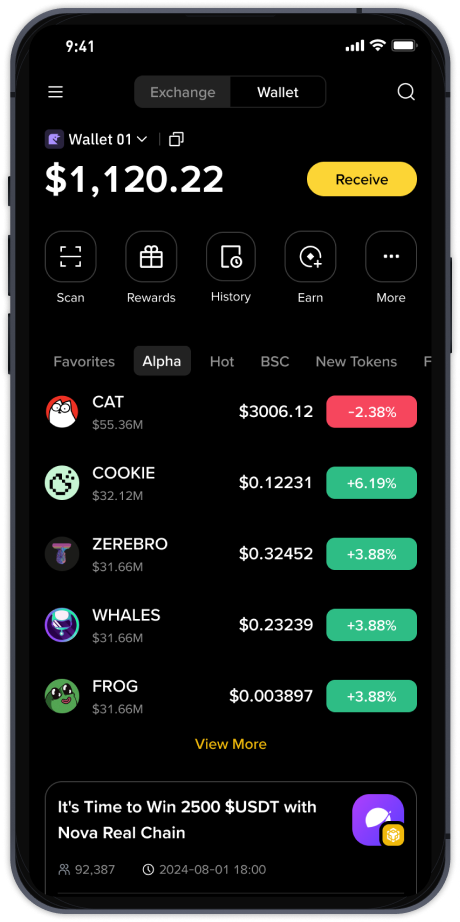
Step-by-Step: How to Top Up and Fund Your Binance Wallet Efficiently in 2025

For anyone actively trading or holding digital assets, funding a Binance wallet is an essential first step. But how does the topping-up process actually work, and is it as straightforward as it seems? This article breaks down the practical steps for depositing funds into your Binance wallet, covering both crypto transfers and fiat deposits, while addressing common questions about speed, fees, and security.
First, it is important to distinguish between a Binance exchange wallet and the Binance Web3 Wallet (formerly the Binance Chain Wallet). Topping up the exchange wallet is the most common method for trading. To do this, log into your Binance account, navigate to "Wallet" then "Fiat and Spot," and click "Deposit." You will choose between depositing cryptocurrency or fiat currency (such as USD, EUR, or GBP). For crypto, you simply select the coin (e.g., USDT, BTC, or ETH) and copy the deposit address or scan the QR code provided. Sending funds from an external wallet or another exchange to this address is typically processed after a few network confirmations, which can take from a few minutes to over an hour depending on blockchain traffic.
For fiat deposits, Binance offers multiple channels including bank transfers, credit or debit cards, and third-party payment services like Simplex or P2P trading. Bank transfers often have lower fees but can take 1–3 business days, while card payments are instant but come with higher processing fees (often 1.8% to 3%). The P2P platform is a popular alternative that allows you to buy crypto directly from other users using local payment methods with no platform fees, though you must carefully check the counterparty's reputation. It is worth noting that deposit methods and availability vary by country, so always check the "Deposit Crypto" or "Buy Crypto" section for your specific region.
When it comes to the Binance Web3 Wallet, topping up works differently. This is a self-custody wallet, meaning Binance does not hold your private keys. To fund it, you need to transfer assets from your exchange wallet or another external wallet using the cross-chain transfer feature within the app. The Web3 Wallet supports multiple blockchains such as BNB Smart Chain, Ethereum, and Polygon. A common tip for beginners is to always ensure you have a small amount of the native token (like BNB for BSC or ETH for Ethereum) to pay for gas fees when executing transactions in the Web3 environment. Without these tokens, you cannot move funds or interact with decentralized applications.
Security is a top concern during deposits. Always double-check the deposit address (especially the first few and last few characters) before confirming a transfer. For fiat payments, ensure you are using a secure internet connection and have two-factor authentication (2FA) enabled on your Binance account. Also, be aware of minimum deposit amounts; for example, depositing a smaller amount than the minimum might result in lost funds or incur a fee. For most cryptocurrencies, the minimum deposit is around $10 to $30 worth, while fiat minimums vary by payment method.
In summary, topping up your Binance wallet is a manageable process whether you choose crypto, bank transfer, or card. The key is to select the method that balances speed and cost for your needs, always verify addresses and network compatibility, and maintain strong security habits. While bank transfers are cheaper but slower for larger sums, crypto deposits are faster but require careful network selection. For users exploring Web3 features, keeping a small balance of native gas tokens in your Web3 Wallet is a non-negotiable practice. With these steps in mind, funding your Binance wallet becomes a smooth and reliable routine for your trading journey.